
A gnomish Fermilab.
A gnomish Fermilab.
Yesterday, I went over how to use Photoshop and other advanced image editors to juice up your game screenshots to brilliant, enviable images. (Part I) The same can be accomplished with intermediate-level editors too, although not as quickly.
The four steps of my quick juice job are: Correct the color, adjust brightness, boost the contrast, and sharpen.
Here again is the unaltered screenshot from World of Warcraft’s Blade’s Edge Mountains, our starting point:
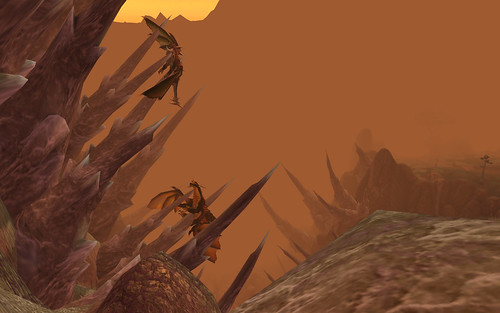
Almost every editor, including the freebies, has an Auto Correct Color or some such function. Usually, the auto color correction is too harsh for game shots and with a lot of the freebies, there’s no adjustment slider or option to to take away some of the correction … ala Photoshop’s opacity slider. Trial and error, aka Edit » Undo, will be your friend here.
Tired of reading all of the Warrior whining on the WoW forums, Nefarian has taken matters into his own hands. Now, you too can have have a rage bar, even if you’re not a Warrior. Hilarious if true.