If your game screenshots aren’t everything you’d want them to be — brilliant and sharp — I’m going to share a few tweaks on how to juice them up.
I use Photoshop, but the tweaks are easily translated to almost any other intermediate or advanced image editing software. I’ll explain exactly what my adjustments do so you can hunt around in your chosen program to do the same.
A caveat: Photoshop and other advanced editors (e.g. Paint Shop Pro) allow the use of layers to perform image adjustments. You can play around with your adjustments to get a desired effect and if worse comes to worse, you can delete the layer and try again. This isn’t possible with most intermediate-type editors (e.g. IrfanView). If you’re using an editor without layer-capability, try out your adjustments incrementally and Edit » Undo adjustments that don’t work well.
We’ll talk about IrfanView and other intermediate editors tomorrow, Photoshop/advanced editors today.
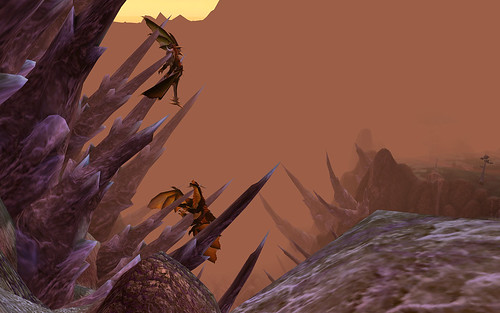
Here’s an example to work with, from World of Warcraft’s Blade’s Edge Mountains, a couple of dragonkin met their untimely deaths on the side of the mountain.
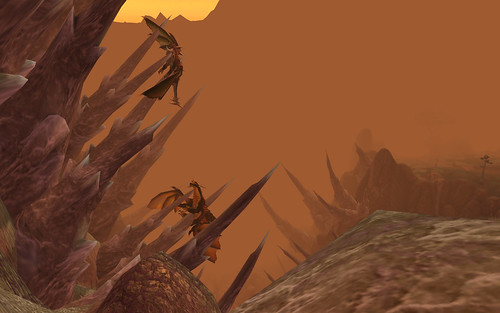
And here’s the juiced version of the same shot, after I applied my usual Photoshop adjustments.